San Andreas / Mod / Mod CLEO
Car Recorder
- Marses | caricato da Marses
- 10/09/2026 (Last Update: 10/10/2026)
- 52 Download
Valutazioni:
Per favore, prima accedi.
Preferiti:
Videos
Non è ancora stato aggiunto alcun video.Devi aver effettuato l'accesso per aggiungere video a questa mod.
Descrizione
=====================================================================
CAR RECORDER
Record and replay vehicle paths in GTA San Andreas
=====================================================================
WHAT IT DOES
------------
Car Recorder lets you record the path of any vehicle you drive
(cars, bikes, boats, planes, helicopters) and replay it later.
Recordings are saved in the same format the game uses for its own
vehicle paths (the "carrec" .rrr files inside carrec.img), the ones
Rockstar used in the story missions.
REQUIREMENTS
------------
- GTA San Andreas v1.0
- CLEO 5 (CLEO 4 is NOT enough: the mod will show a message and turn
itself off)
- Mod Loader
INSTALLATION
------------
Copy the whole "CarRecorder" folder into your "modloader" folder:
GTA San Andreas\modloader\CarRecorder\
readme.txt
Mod\CarRecorder.cs
Recordings\
Do NOT rename the "CarRecorder" folder: the mod looks for its
recordings in modloader\CarRecorder\Recordings\
HOW TO USE
----------
Type the cheats while playing, like any other cheat.
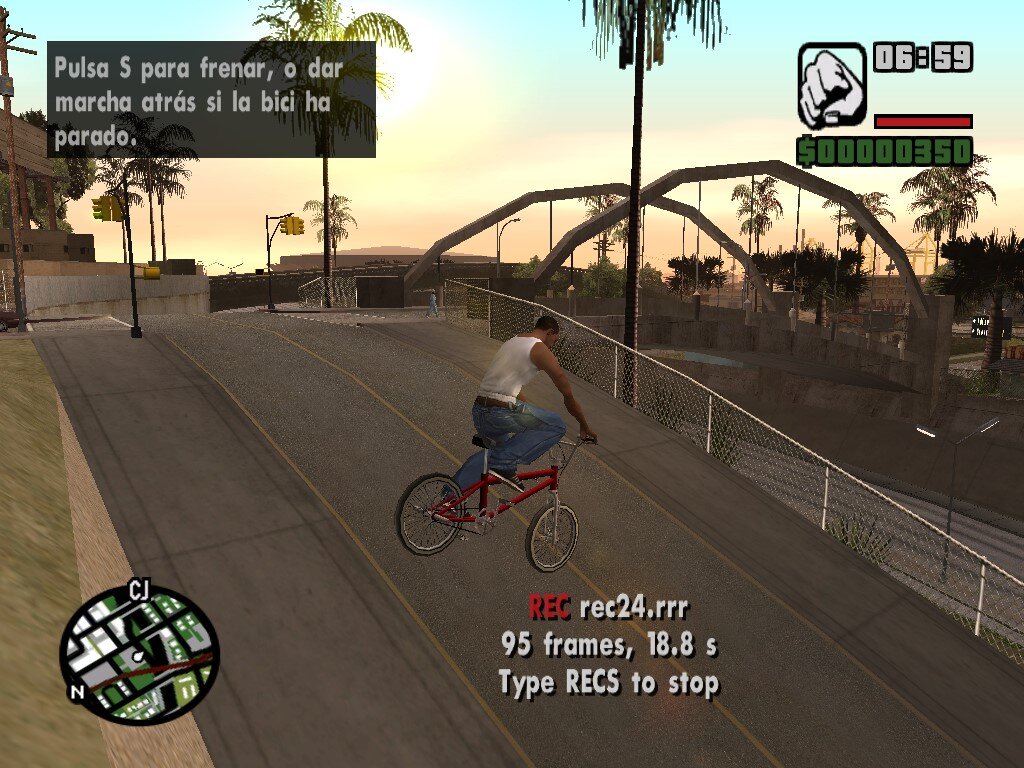
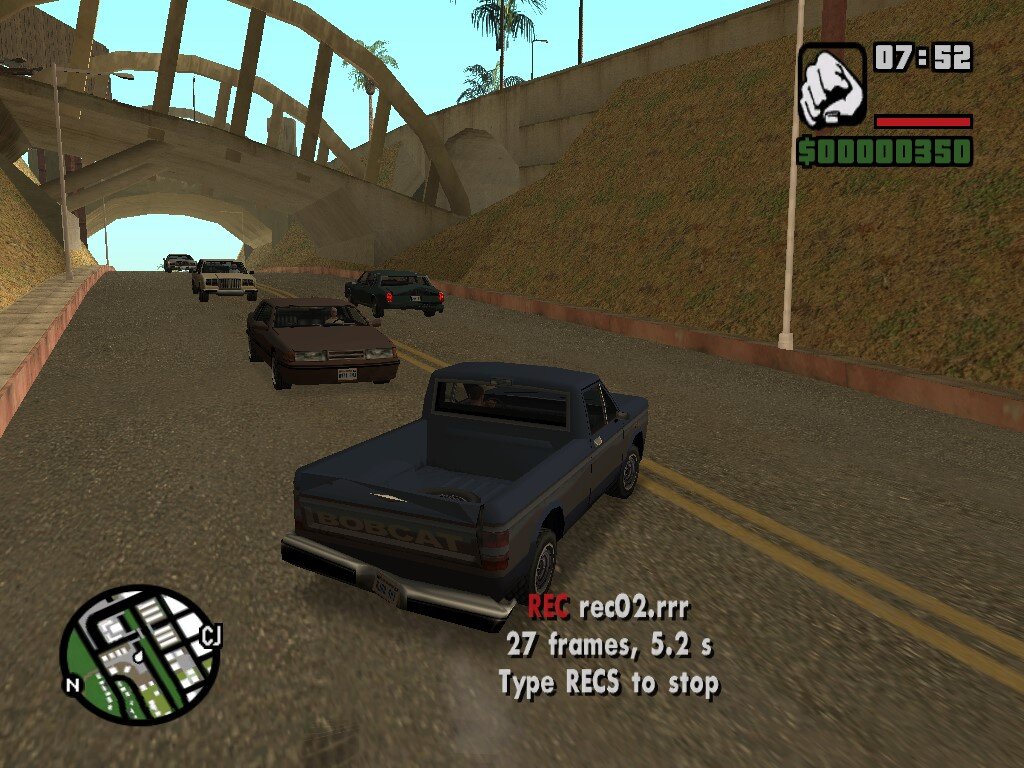
RECS Start recording the vehicle you are in.
Type RECS again to stop and save.
It also stops if you get out or the vehicle is wrecked.
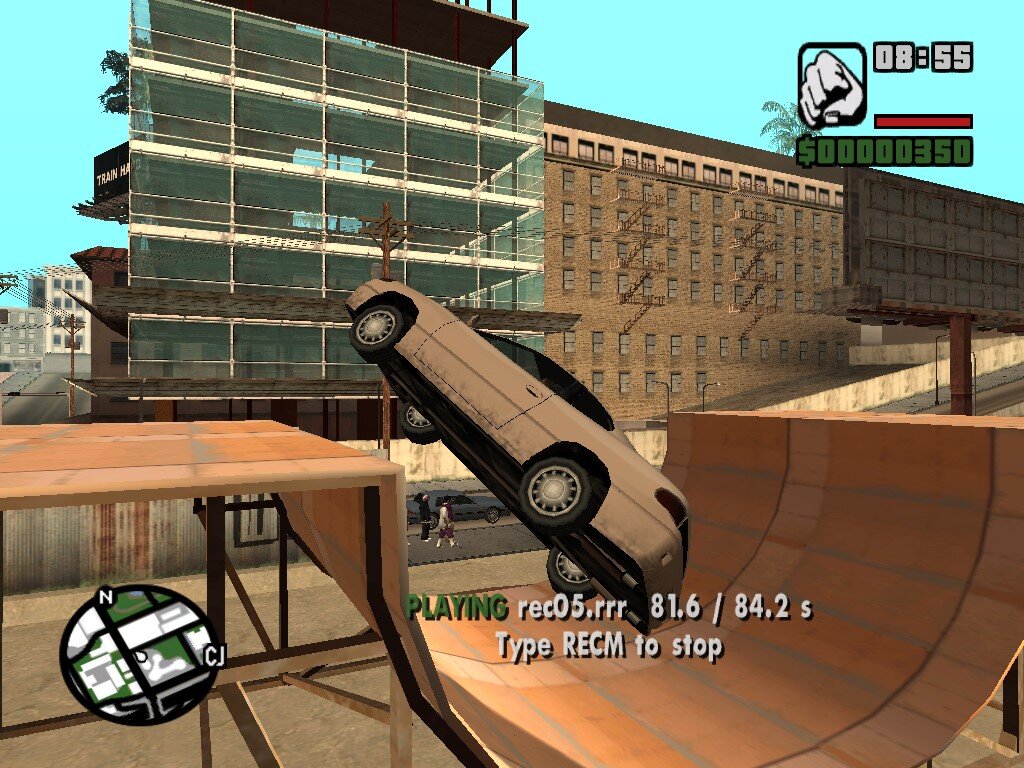
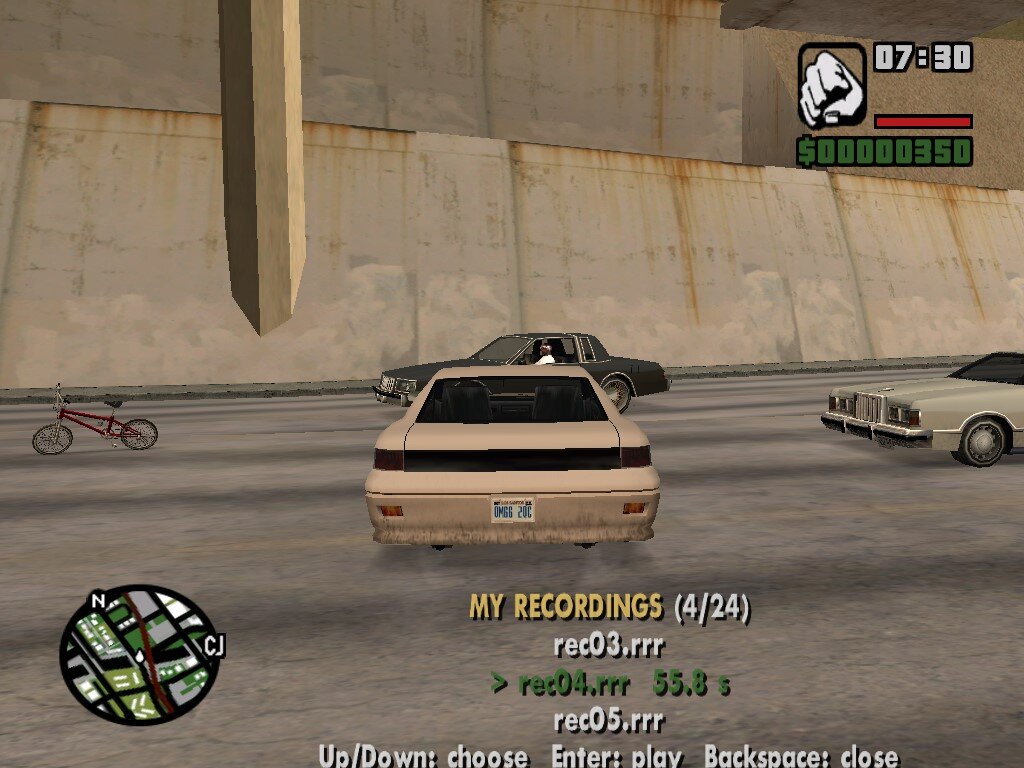
RECM Open the menu with your recordings.
Up / Down choose a recording
Enter play it
Backspace close the menu
Recordings are saved as rec01.rrr, rec02.rrr ... rec99.rrr
in the Recordings folder. A new recording never overwrites an old
one: it takes the first free number. To delete a recording, delete
its file.
To play a recording you must be inside a vehicle: the vehicle is
moved to the start of the path and follows it on its own, with the
same steering and pedals you used (helicopters and planes only follow
the path, and their rotors and propellers keep turning). You are not
frozen: you can move the camera while it plays (your keys do not move
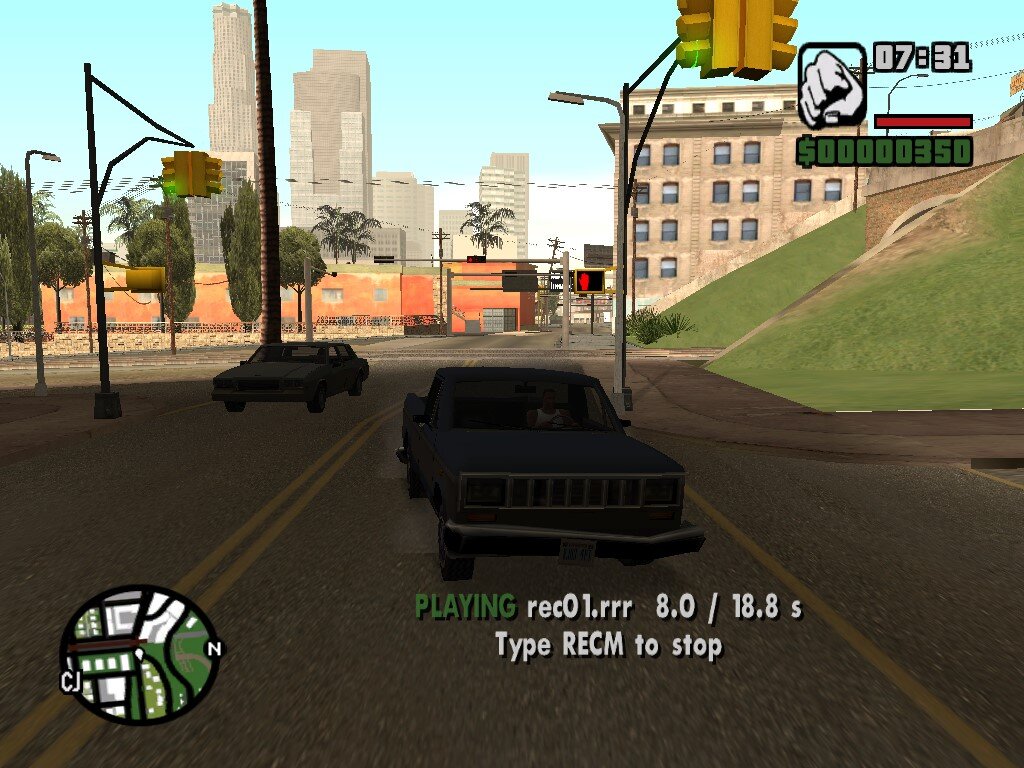
the vehicle until the playback ends). Type RECM during playback to
stop it.
USING A RECORDING IN CARREC.IMG
-------------------------------
Recordings made with Car Recorder 1.1 have the same format as the
game's own vehicle paths in carrec.img. This was checked against all
426 recordings of the original game: same 32-byte frames, same data
in every field (position, speed, direction, steering, gas, brake and
handbrake) and the same ranges of values. Recordings made with older
versions have no steering or pedals, so record them again with 1.1.
This means you can add your recordings to carrec.img (in the "data"
folder of the game) and play them in missions made with Sanny Builder:
1. Make a backup copy of carrec.img.
2. Rename your recording from recXX.rrr to carrecNNN.rrr, where NNN
is a number higher than 834 (the original recordings go from
carrec001 to carrec834, with gaps), for example carrec900.rrr.
Never use a number that already exists: it would replace a
recording used by a story mission.
3. Add carrecNNN.rrr to carrec.img with an IMG editor.
4. In your mission script, load it and play it on a vehicle:
Streaming.RequestCarRecording(NNN)
(wait until Streaming.HasCarRecordingBeenLoaded(NNN))
Car.StartPlayback(car, NNN)
Notes:
- Adding recordings to carrec.img and playing them with the game's own
commands has not been tested yet: the format is the same, but try it
before relying on it.
- The game can only hold a limited number of recordings, so add only
the ones you need.
- The longest original recording lasts 208 seconds. Much longer ones
may not work inside carrec.img.
TECHNICAL NOTES
---------------
- The game has commands to record vehicle paths, but Rockstar left
them empty in the final game. This mod records by reading the
vehicle's position, speed, direction, steering and pedals 5 times
per second (every 200 ms; Rockstar's own recordings average about
224 ms).
- Playback is done by the mod itself (it does not need carrec.img):
it moves the vehicle smoothly between the recorded frames.
- Every frame is 32 bytes:
+00 time (ms)
+04 speed X, Y, Z
+0A "right" direction of the vehicle
+0D "forward" direction of the vehicle
+10 steering angle
+11 gas pedal (negative = reverse)
+12 brake pedal
+13 handbrake
+14 position X, Y, Z
KNOWN LIMITATIONS
-----------------
- The vehicle model is not saved (the carrec format does not store
it): a recording is played on whatever vehicle you are in.
- Up to 99 recordings.
VERSION HISTORY
---------------
Note: This section is for Liberty City, not GTAinside!
1.1.3 - The game crashed when typing RECS or RECM with CLEO 4. Now the
mod checks the CLEO version when the game starts: with CLEO 4
or older it shows a message and turns itself off.
1.1.2 and 1.1.1 - Fixed: helicopter rotors and plane propellersstopped
during playback. Now it is fixed.
1.1 - Steering, gas, brake and handbrake are now recorded and played
back: vehicles no longer look like they are drifting, and
bikes lean to the right side.
Recordings made with older versions still play.
1.0.1 - Fixed: recordings could not be saved when the mod was
installed with Auto-install.
- Fixed: typing RECS to stop could start a second recording if
the mod was installed twice.
1.0 - First version.
CREDITS
-------
Made by: Marses
(Marcos1986... in Liberty City)
=====================================================================
Commenti
Sono già stati pubblicati 0 commenti.