San Andreas / Mod / Mod CLEO
Visual Skin Selector v1.1
- Chel555 | caricato da Chel555
- 03/06/2018
- 76462 Download
Valutazioni:
Per favore, prima accedi.
Preferiti:


Videos
Non è ancora stato aggiunto alcun video.Devi aver effettuato l'accesso per aggiungere video a questa mod.
Descrizione
Description:
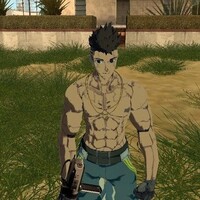
This script adds a visual skin selector with displaying images of standard skins. Now you can change the player's skin to any standard (0-299) with a user-friendly visual interface.
Changes in version 1.1
- The length of the inscriptions was slightly reduced.
- Fixed bug with displaying a white square instead of a cursor.
Features:
- You can change all the standard skins that are in the game.
- You can change special skins that are used in cutscenes and missions.
It is NOT recommended to use the spent crack and others, in which the English letters are replaced by Russians. The selector has only English localization, and those who have similar russifiers, there may be problems with incorrect display of letters in the inscriptions in the game itself, using this selector.
Requires CLEO v4.3 library
It is recommended to install:
ASI plugin Mousefix or SilentPatch
Installation:
The contents of the archive to throw in the folder with the game, agreeing to replace.
Activating the selector:
Default H + 4 (The player must NOT be in the transport). Also you can change the two keys in the INI file VSS.ini
Parameters of the VSS.ini file
StartIDtexture - ID number of the start of displaying sprites
StartKey1 - The first ID number of the key to activate the selector (ID-72 is the H key by default)
StartKey2 - The second ID number of the key to activate the selector (by default ID - 52 is the key 4)
DeltaTime - Movement of the cursor taking into account frames per second in the game: 1 - incl. / 0 - off.
Sensitivity - The reciprocal sensitivity of the cursor movement (the lower the value, the faster the cursor moves)
Acknowledgments:
DK22Pac for helping to fix one known bug.
Demonstration of the script: https://youtu.be/CcnGdNm11CQ
This script adds a visual skin selector with displaying images of standard skins. Now you can change the player's skin to any standard (0-299) with a user-friendly visual interface.
Changes in version 1.1
- The length of the inscriptions was slightly reduced.
- Fixed bug with displaying a white square instead of a cursor.
Features:
- You can change all the standard skins that are in the game.
- You can change special skins that are used in cutscenes and missions.
It is NOT recommended to use the spent crack and others, in which the English letters are replaced by Russians. The selector has only English localization, and those who have similar russifiers, there may be problems with incorrect display of letters in the inscriptions in the game itself, using this selector.
Requires CLEO v4.3 library
It is recommended to install:
ASI plugin Mousefix or SilentPatch
Installation:
The contents of the archive to throw in the folder with the game, agreeing to replace.
Activating the selector:
Default H + 4 (The player must NOT be in the transport). Also you can change the two keys in the INI file VSS.ini
Parameters of the VSS.ini file
StartIDtexture - ID number of the start of displaying sprites
StartKey1 - The first ID number of the key to activate the selector (ID-72 is the H key by default)
StartKey2 - The second ID number of the key to activate the selector (by default ID - 52 is the key 4)
DeltaTime - Movement of the cursor taking into account frames per second in the game: 1 - incl. / 0 - off.
Sensitivity - The reciprocal sensitivity of the cursor movement (the lower the value, the faster the cursor moves)
Acknowledgments:
DK22Pac for helping to fix one known bug.
Demonstration of the script: https://youtu.be/CcnGdNm11CQ
Commenti
Sono già stati pubblicati 17 commenti.